Aciduino V2
A multi-architecture Roland TB-303 and TR-808 step sequencer clone built for live performance. Up to 16 tracks, OLED display, pattern/mute grid, and a modular design that lets you plug in more controls, MIDI, or CV/Gate interfaces.
Aciduino V2 is the first official uMODULAR app, leveraging uCtrl drivers and uClock for precise timing.
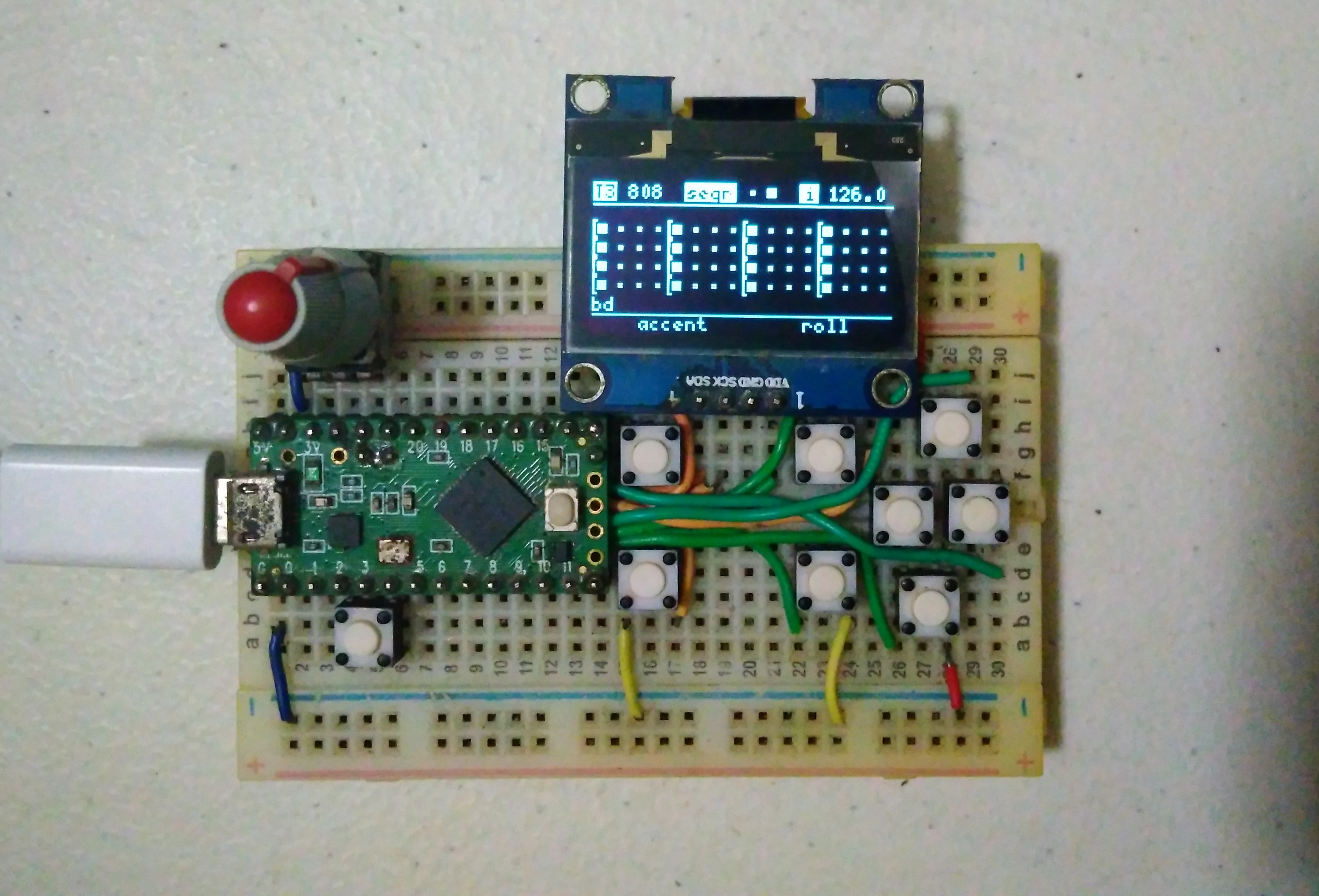
Features
- Up to 16 tracks — mix TB-303 and TR-808 tracks freely
- 303 step sequencer with rest, tie, glide, accent, per-step pitch/octave
- 808 drum sequencer with voice, note, roll per step
- OLED display — real-time access to all parameters
- Generative engine — harmonized 303 lines + Euclidean algorithm for drums
- MIDI controller — 16 assignable CCs per track
- Pattern grid — mute/unmute tracks or voices, save/load scenes
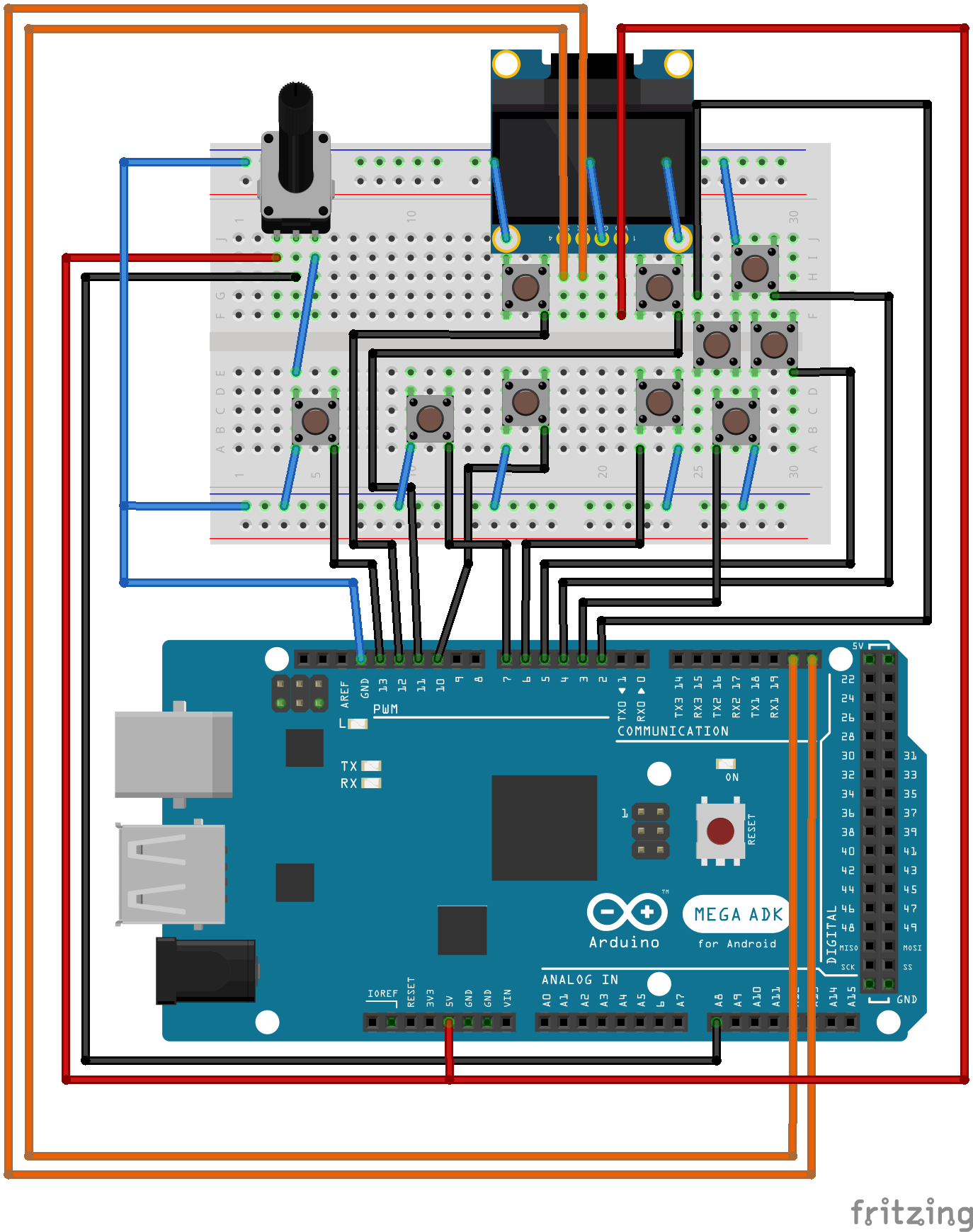
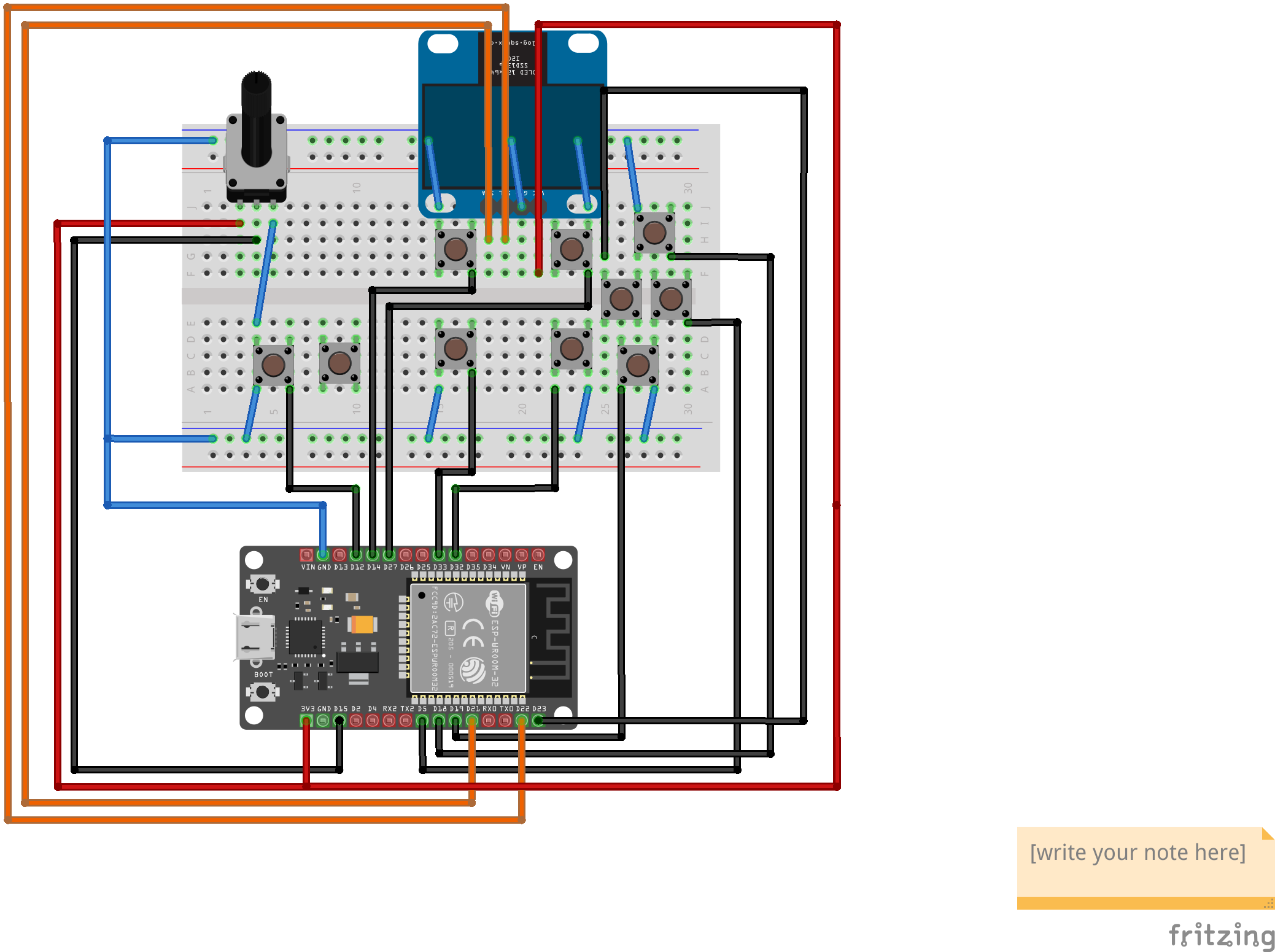
- Multi-architecture — Arduino Mega, Teensy ≥ 3.2, ESP32
- Modular I/O — extend with more pots, buttons, MIDI, or CV/Gate
Supported Platforms
| Platform | Port file to uncomment |
|---|---|
| Arduino Mega | #include "src/ports/avr/mega.h" |
| Teensy (protoboard) | #include "src/ports/teensy/protoboard.h" |
| Teensy (uOne) | #include "src/ports/teensy/uone.h" |
| ESP32 WROOM | #include "src/ports/esp32/wroom.h" |
| ESP32 + Ext1 | #include "src/ports/esp32/wroom-ext1.h" |
| Midilab Mega | #include "src/ports/avr/midilab_mega.h" |
Download
Recommended: Download the latest release pack named aciduino-v2_xxx.zip from the Releases page.
For the latest development version, clone the repository with submodules:
git clone https://github.com/midilab/aciduino.git
cd aciduino/
git submodule update --init --recursive
Open v2/AciduinoV2/AciduinoV2.ino and uncomment the port file for your platform.
Getting Started
- Build your device following the assembly guide
- Download the latest software release
- Configure your hardware in
AciduinoV2/0_hardware_setup.ino - Tweak sequencer defaults in
AciduinoV2/src/sequencer/setup.h
User Interface
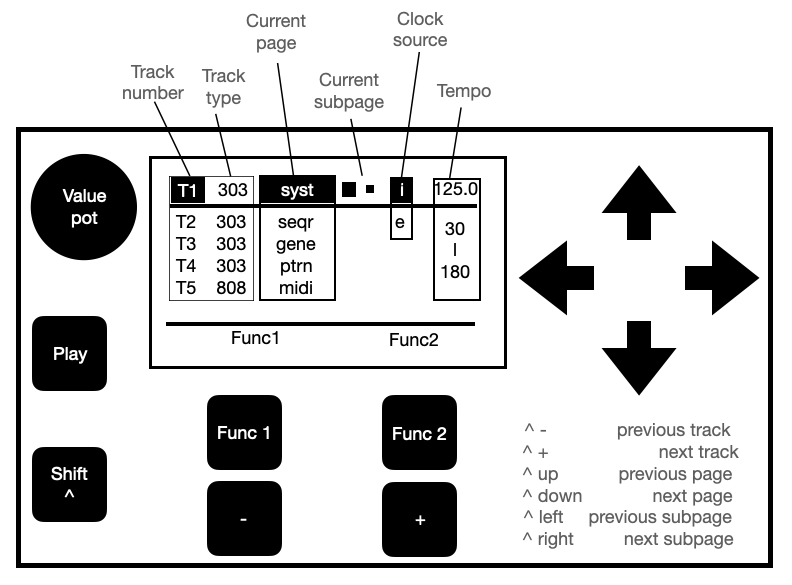
Controls
| Control | Description |
|---|---|
| Nav buttons (4 rightmost) | UP, DOWN, LEFT, RIGHT — navigate page elements. Selected element blinks |
| Function buttons (2 upper) | Context-sensitive actions shown at the bottom of the display |
| Generic buttons (2 lower) | Decrement / increment the selected element's value |
| Pot | Value changer — works on most elements alongside generic buttons |
| Shift (bottom left) | Hold while pressing another button for alternate functions |
| Transport (middle left) | Start / stop the sequencer |
Navigation Shortcuts
| Command | Action |
|---|---|
| Shift + Nav UP/DOWN | Change page |
| Shift + Nav LEFT/RIGHT | Change subpage |
| Shift + Generic 1 | Previous track |
| Shift + Generic 2 | Next track |
| Pot | Change notes |
| Shift + Pot | Change octave (303) or voice config (808) |
OLED Layout
- Header bar — Track number (T1–T5) and type (303/808), page name + subpage, clock source, tempo (40–180)
- Subpage display — the active editing grid
- Function labels — shows the action for each function button
System Page
Common parameters that apply to all tracks.
| Parameter | Description | Controls |
|---|---|---|
| Tempo | uClock BPM from 40 to 180 | pot = coarse, F1 = rec, F2 = play, generic = fine |
| Clock | Clock source: internal, MIDI1, or MIDI2 | pot / generic |
| Shuffle | Groove on/off | pot / generic |
| Sig. | Swing signature (54, 58, 62, 68, 71%) | pot / generic |
| Rec | Record input source: MIDI1 or MIDI2 | pot / generic |
| Mode | Record mode: real-time or step | pot / generic |
| Session | Save/load to EEPROM or SD card | pot = storage, F1 = load, F2 = save |
| Track out | MIDI output port per track | pot / generic |
Sequencer Page
Edit the track's sequence step by step. Parameters differ between 303 and 808 tracks.
Common
| Parameter | Description |
|---|---|
| Length | Number of steps (303: 0–max from setup.h, 808: 0–64, each voice can have different length) |
| Shift | Offset the entire sequence forward or backward |
303 Sequencer
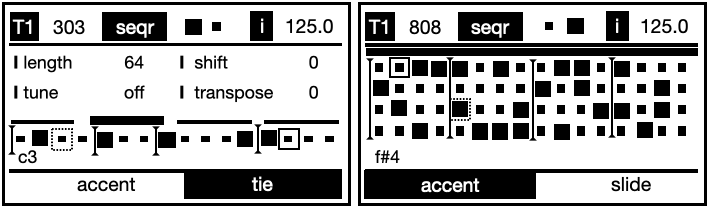
| Element | Description |
|---|---|
| Tune | Set the tonic note (off, C1–B1) |
| Transpose | Transpose the entire sequence |
| Bar selector | Top bar — each division is a 16-step bar. Bold = playing, blinking = editing |
| Step selector | Grid of steps. Rest (small square) or gated (bold). Label shows step note/octave. Blinking outline = editing, moving outline = playing |
- Default velocity: 70, accent velocity: 127 (configurable in
setup.h) - Pot = select pitch, Shift + pot = select octave
- F1 = accent, F2 = slide (gated) or tie (rest)
- Generic buttons = trigger step on/off
808 Sequencer
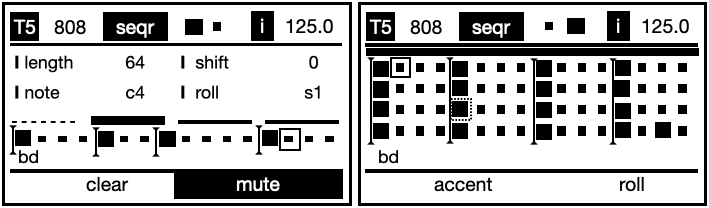
| Parameter | Description |
|---|---|
| Voice | Set the drum voice |
| Note | Set the drum part MIDI note number |
| Roll | Set the roll type |
- Pot = change note, Shift + pot = change drum voice
Generator Page
Generate automatic sequences. Fill percentage affects the next generated sequence only.
| Parameter | Description |
|---|---|
| Fill | Percentage of activated steps (affects next generation only) |
303 Generator
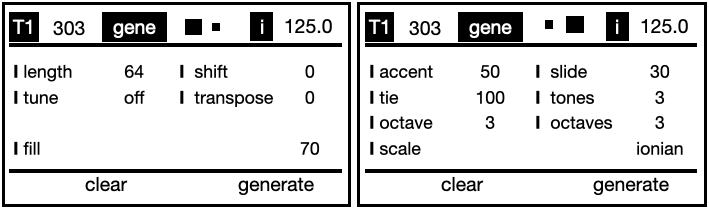
- Tune — set the tonic note
- Transpose — transpose the generated sequence
808 Generator
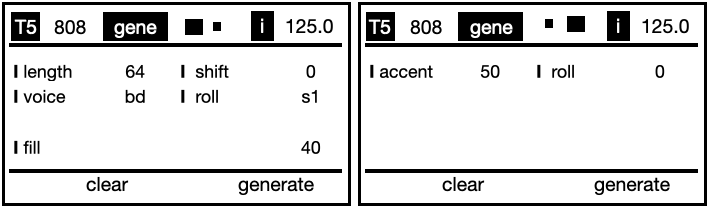
- Pot = change voice
- Shift + pot = change voice config (MIDI CC or CV port)
Pattern Page
Performance-oriented page for muting, saving, and loading patterns.
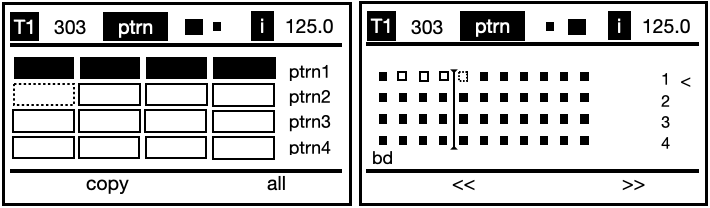
| Control | Action |
|---|---|
| F1 | Copy pattern |
| F2 | Select all |
| Shift + F1 | Save pattern as |
| Shift + F2 | Save pattern |
| Generic 1 | Play selected pattern |
| Generic 2 | Play selected scene |
MIDI Page
Assign and tweak up to 16 MIDI CCs per track. Labels and CC numbers vary between 303 and 808 tracks.
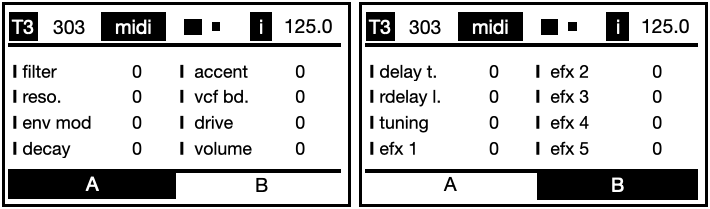
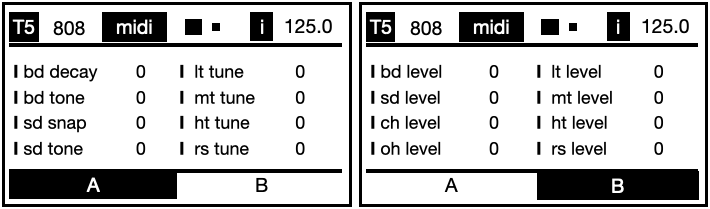
CCs are sent on the selected track's MIDI channel. To change CC mappings, edit AciduinoV2/page_midi.ino:
midiControllerComponent.set303Control("filter", 74);
Assembly
Build on a solderless breadboard. Key steps:
- Place buttons, knobs, and power lines
- Enlarge two holes for pot base support on the (+) power rail
- Run signal lines for buttons
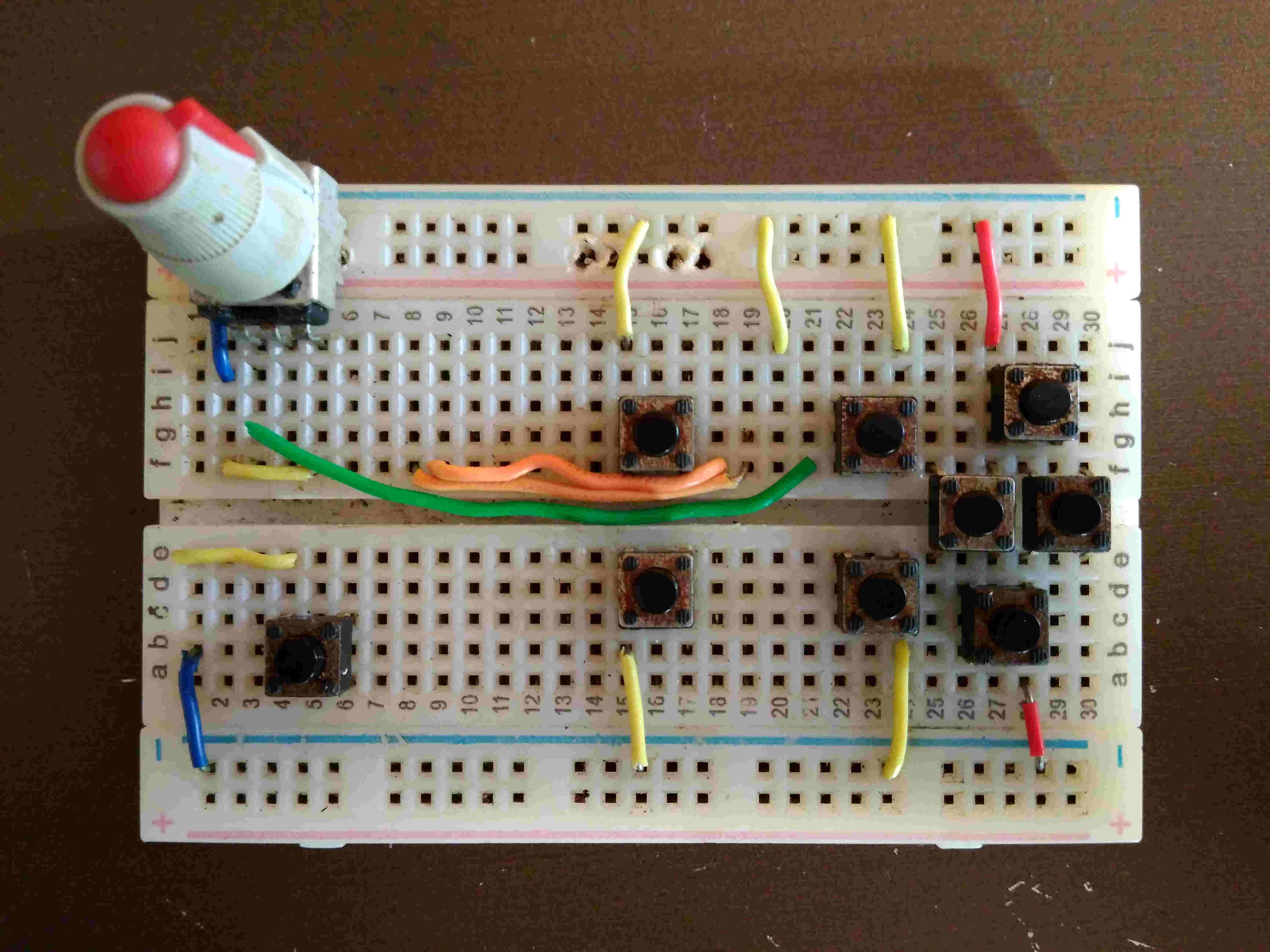
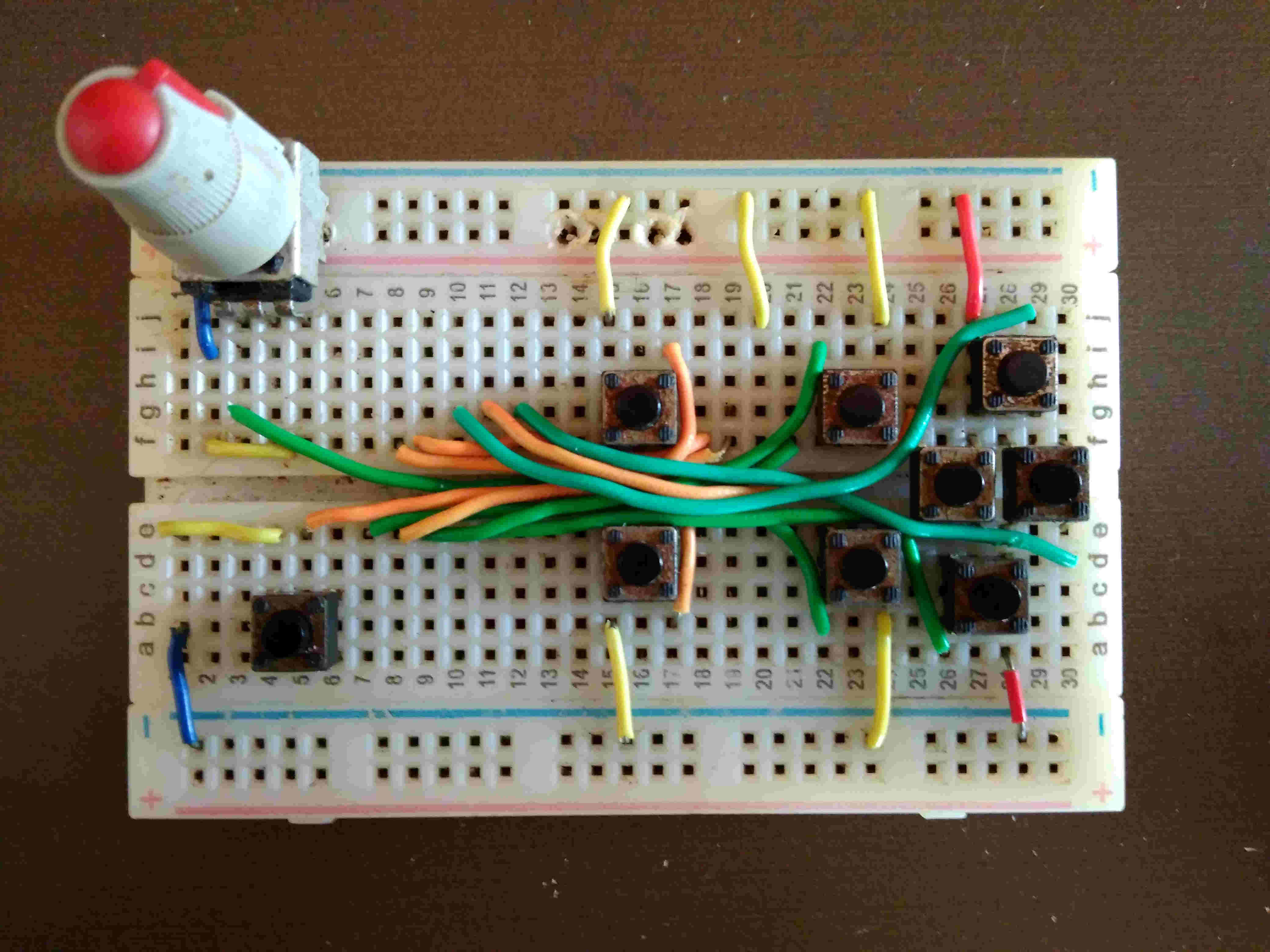
For detailed instructions, see the assembly guide.
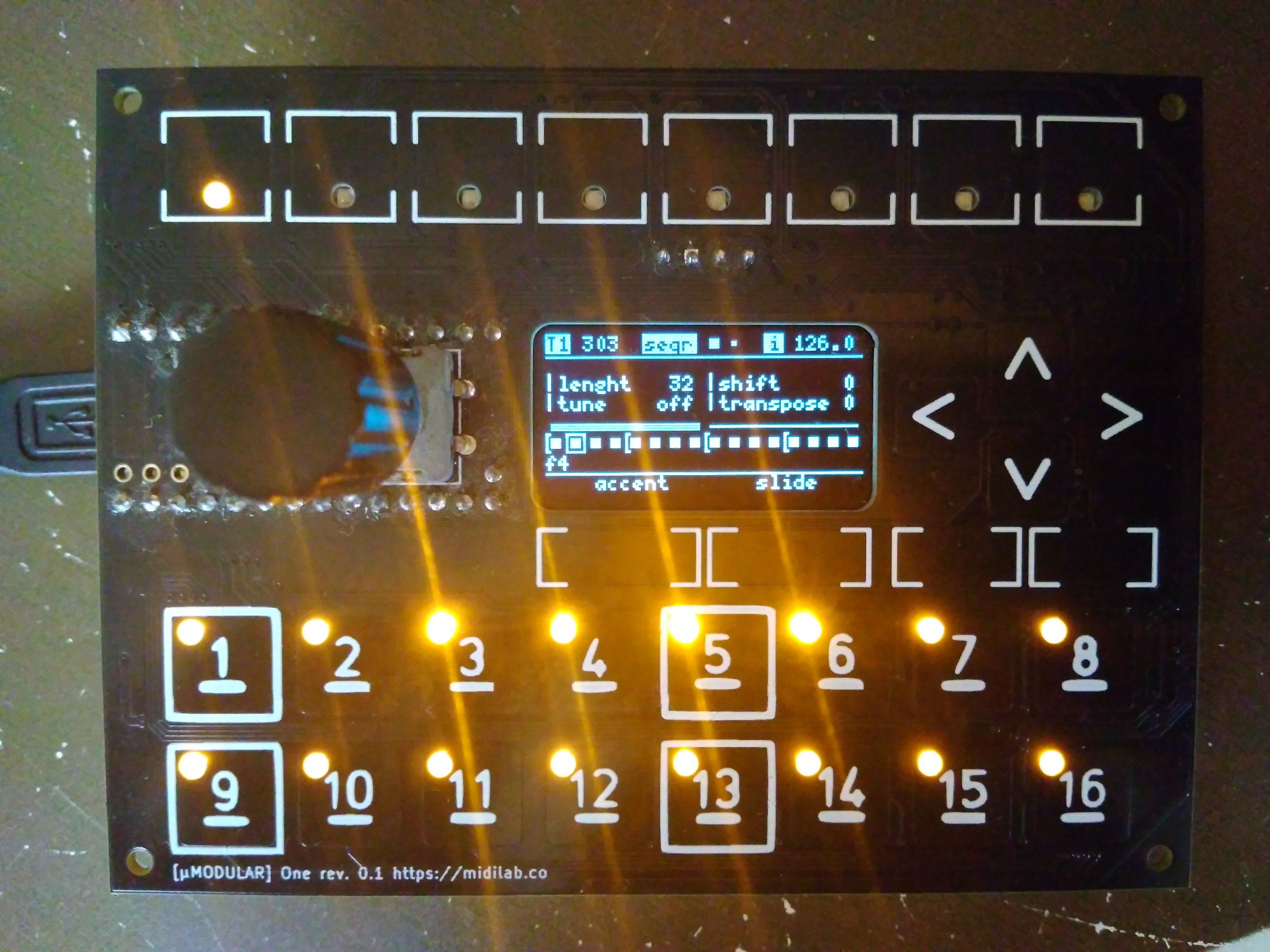
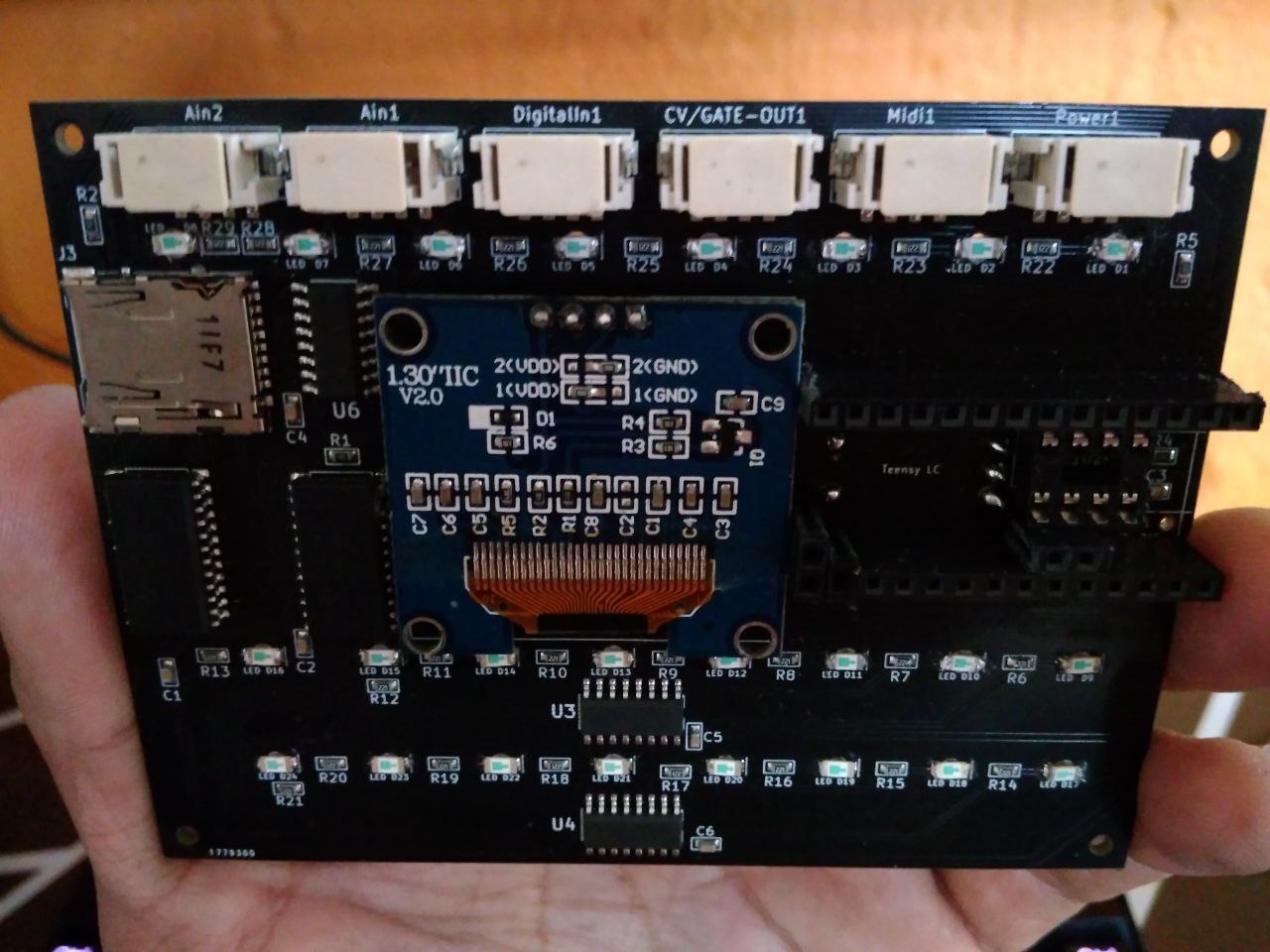
uMODULAR uOne
A dedicated uMODULAR hardware board for Aciduino V2, coming soon.
Configuration
AciduinoV2/0_hardware_setup.ino— select your microcontroller and pin mappingsAciduinoV2/src/sequencer/setup.h— adjust sequencer defaults (max steps, velocity, accent, etc.)
Dependencies
- uClock — BPM clock generator
- uCtrl — hardware abstraction and interface library
- uMODULAR — modular app framework
All included as git submodules — run git submodule update --init --recursive after cloning.
Cheatsheet
Support
- Official website for latest news
- GitHub Issues for bugs and feature requests
- Discord for discussion and ideas